Preferred Sources CTA

Provide readers with a frictionless method for adding your site as a preferred search source on Google

Paid

About This Plugin

This plugin allows readers to “save” your WordPress site(s) as a Preferred Search Source on Google. This may help increase your traffic from Google, by prioritizing your pages in the search results.

This lightweight plugin allows you to display a CTA (Call to Action) for readers to opt-in. The displays can be manually controlled with shortcodes or automatically inserted on posts. It’s fast and doesn’t contain any external resources, so your site speed won’t be impacted.
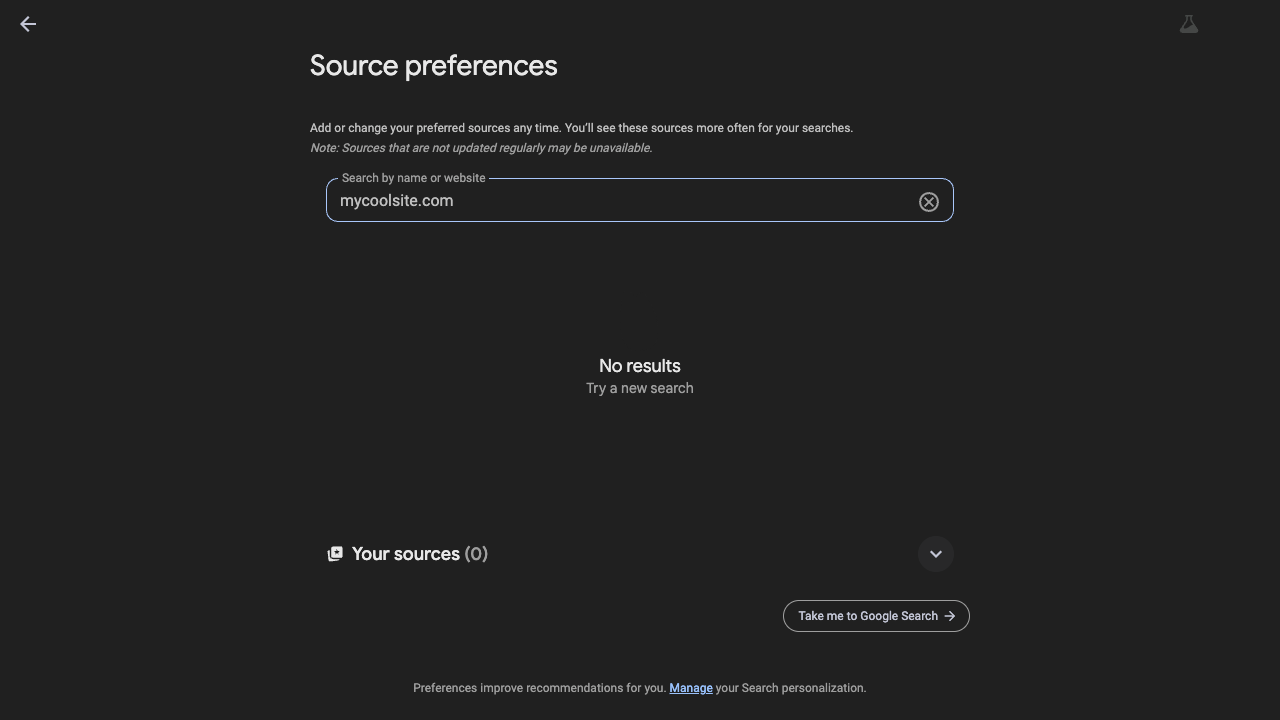
google preferred sources list

Customization

We support two styles of CTA, a Google designed button and a custom banner, which each have customizable options in the plugin settings.
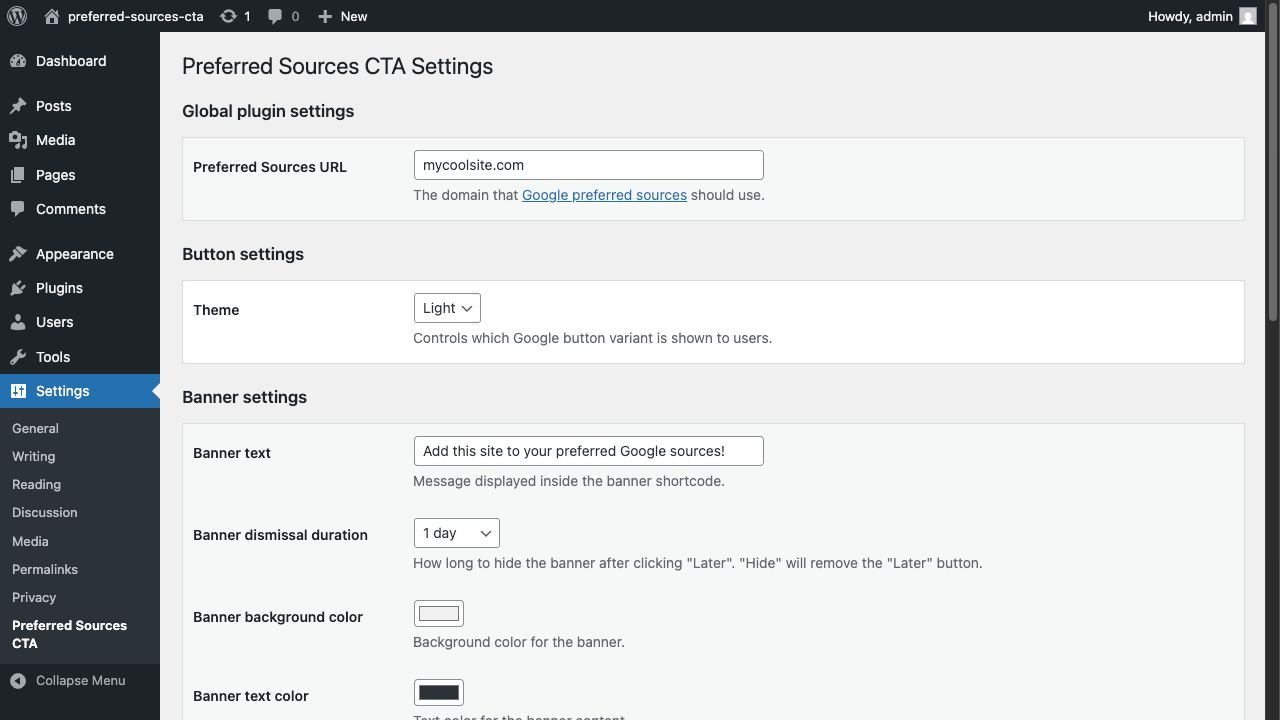
preferred sources cta settings

Automatic Placement

Our automatic placement system allows you to pick a spot on all posts to automatically include a CTA. This allows you to quickly configure the plugin for all of your posts, without modifying any of them. If you disable or remove the plugin, they will disapear.
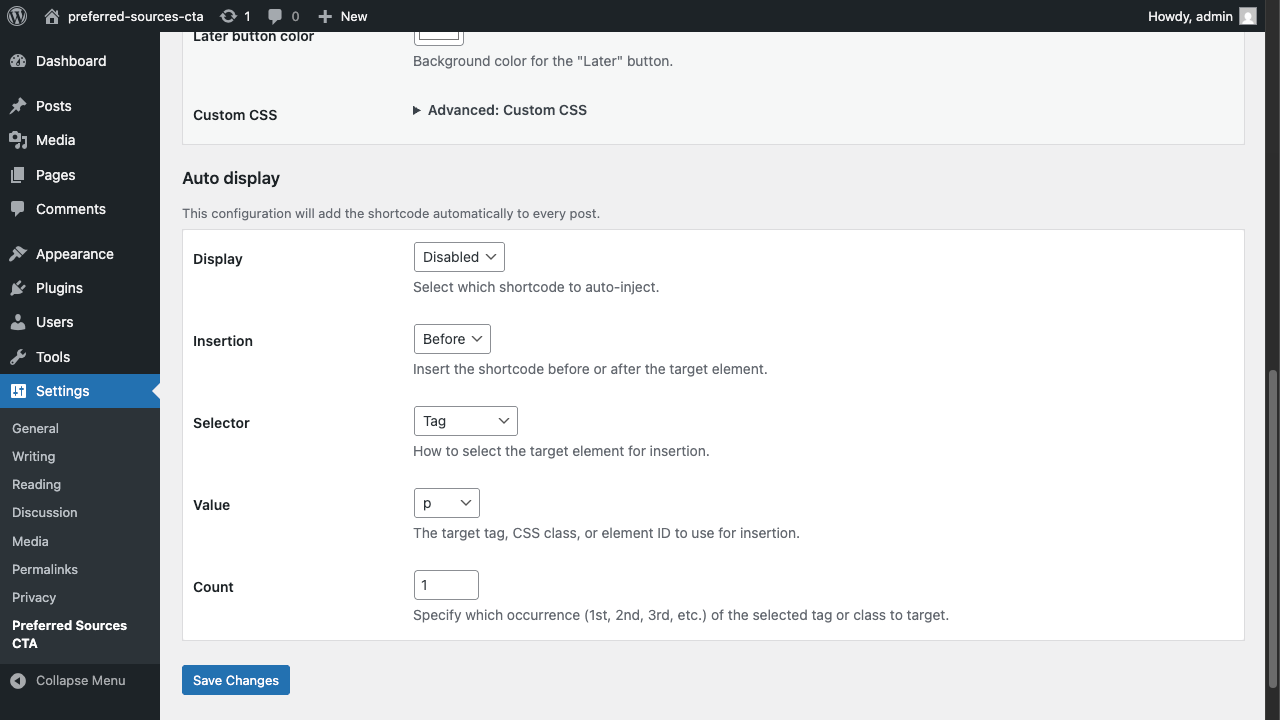
automatic placement

Manual Placement

You can manually include either CTA (Banner or Button) using their respective shortcode.

  • Banner: [preferred-sources-cta-banner]
  • Button: [preferred-sources-cta-button]

For example:
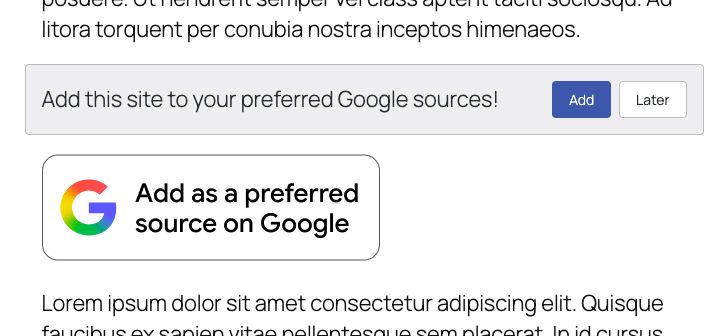
banner and button demo

Support

We offer email based support. Let us know if you need help with basic styling or something else.

Key Features

Customizable CTA banner
Standardized CTA button from Google
Manual and automatic placement options
Shortcodes for manual placement of either CTA
Add either CTA to all posts without modifying them

Frequently Asked Questions

Will this improve my traffic?

There is no guarantee that your traffic will increase, but it allows for a better reader experience.

Do I need to manually update all of my posts?

No, our auto insertion functionality allows you to set it and forget it. This capability will not "modify" your posts. If you remove the plugin for any reason, they will automatically disapear.

Do I need a subscription for the plugin to work?

No, this is a one time purchase.

Can I get a refund?

No, due to the low cost and nature of a one-time digital purchase, we don't offer refunds.

How can I remove the CTAs added by this plugin?

Disabling or removing the plugin will remove all CTAs. If you manually added a shortcode to a post or block, you will need to remove that text content.

Can I use my license on more than one site?

Only the Multiple site license is valid on more than one site. Each site must be owned by the license purchaser.

Changelog

2026-01-28

Added
  • Initial release.

Get This Plugin

Purchase this plugin to unlock its full potential.

Buy Now
  • Version: 1.0.0

Need Help?

Contact our support team for assistance with this plugin.

Get Support